Graphics and Sound Cards
In this lesson, we will learn about how your computer shows you amazing pictures and plays your favorite music!
The Graphics Card
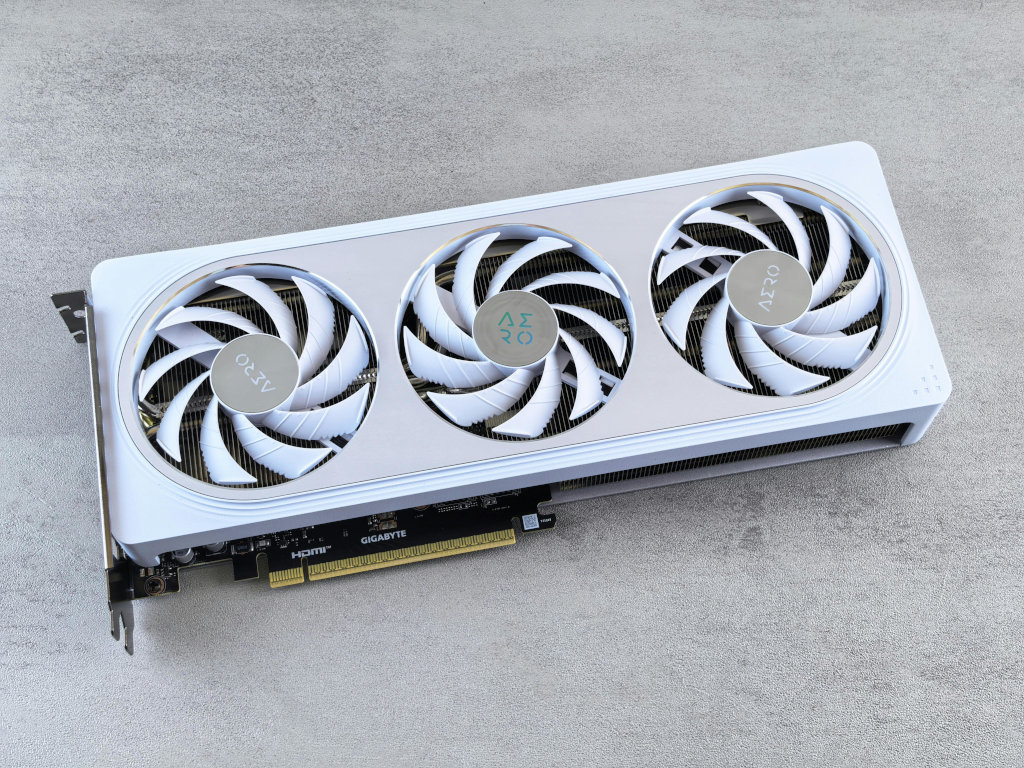
The Graphics Card (also called a Video Card) is the part of the computer that handles everything you see on your screen. It takes information from the CPU and turns it into images, videos, and games.
- The GPU: The “brain” of the graphics card is called the GPU (Graphics Processing Unit). While a CPU is good at many different tasks, the GPU is a specialist. It is designed to do thousands of tiny math problems all at once to decide what color every single pixel on your screen should be!
- Video RAM (VRAM): Graphics cards have their own special memory called VRAM. This is where the card stores the information for the pictures it is currently drawing, so it doesn’t have to keep asking the main RAM for help.
- Expansion Cards: For most basic computers, the graphics parts are built into the motherboard. But for gaming or making movies, people plug in a large, powerful graphics card into a special slot on the motherboard.
Performance: Smooth and Clear
Have you ever noticed how some games look super sharp while others look blurry? Or how some videos play smoothly while others “stutter”? This is often because of the graphics card!
- Resolution: This is about how many pixels are on the screen. A powerful graphics card can handle higher resolutions (like 4K), making the picture look incredibly detailed.
- Framerate: Think of a video as a fast flip-book of still pictures. Each picture is a “frame.” A good graphics card can “flip” these pictures 60 times a second or even more! This makes movements look smooth and lifelike.
Cooling the Powerhouse
Because graphics cards do so much math so fast, they get very hot! If you look at a large graphics card, you’ll see it has its own fans and metal parts (called heat sinks) just to keep it cool. It’s like having a second, mini-computer inside your case that needs its own cooling system.
The Sound Card
The Sound Card is what allows your computer to make noise. It sends sound to your speakers or headphones and can also record sound from a microphone.
- Digital to Analog: Computers think in numbers (digital), but speakers need electrical waves (analog) to make sound. The sound card acts like a translator, turning the computer’s numbers into sounds we can hear.
- 3D Audio: Some sound cards are so smart they can make it sound like a dragon is roaring behind you or a car is zooming past your left ear! This is called “Surround Sound” or “3D Audio,” and it helps make games and movies feel more real.
- Built-in Sound: Nowadays, most computers have the sound parts built right into the motherboard. However, musicians and sound engineers often use high-quality external sound cards to get the best possible audio.
Why do we need them?
Without these parts, your computer wouldn’t be very fun! You wouldn’t be able to watch movies, play games with cool graphics, or listen to your favorite songs. They take the “heavy lifting” away from the CPU so the computer can run smoothly even when doing lots of things at once.
Did you know?
- Supercomputers: Some of the world’s fastest supercomputers use thousands of GPUs working together because they are so good at doing lots of math at the same time!
- Old Computers: In the early days of computers, they didn’t have sound cards. They just had a tiny “beeper” that could only make simple “beeps” and “boops.”
- Movie Magic: Modern movies use hundreds of graphics cards to create the special effects and monsters you see on the big screen!
Check Your Knowledge
- How is a GPU different from a CPU?
- What is VRAM used for?
- If a game is “stuttering” and not moving smoothly, is it more likely a problem with the Resolution or the Framerate?
- Why do powerful graphics cards need their own fans?
- Why does a sound card need to act like a “translator”?
- How can “3D Audio” make a game feel more real?
- Why might a professional musician buy a separate sound card if most computers already have sound built-in?